Skip to content
FreeConvertor

20 free tools · 0 uploads · 0 signup

Files, fixedin your browser.Merge PDFs. Shrink images. Ship favicons.

FreeConvertor is a private-by-design studio: 13 PDF tools and 7 image tools that run entirely on your device with pdf-lib, pdf.js and Canvas. No queues, no watermarks, no “free trial” traps.

tools live
20
tools live
client-side
100%
client-side
files uploaded
0
files uploaded

Two suites · 20 tools

Pick your studio

PDF suite

Popular PDF tools

Combine reports, shrink email attachments, convert pages to images and fix scans. See all 13 →

Featured · pdf

Merge PDF

Combine multiple PDFs into one document, in the order you choose.

Open Merge PDF →

Featured · image

Image Compress

Reduce photo file size with a quality slider.

Open Image Compress →

Featured · image

Favicon Generator

Generate a complete favicon kit from one logo.

Open Favicon Generator →

Image suite

Popular image tools

Lighter web pages, cleaner crops and modern formats. See all 7 →

How it works

Three steps. Zero uploads.

  1. 0101 — Choose filesDrag files onto the tool or press Enter to browse. Wrong file types and oversized files are rejected straight away with a clear message.
  2. 0202 — Adjust & processReorder pages, pick a resolution, set the quality or draw a crop. Processing runs on your device, so there is no upload queue.
  3. 0303 — Download & resetSave results one by one or as a ZIP. “Start over” clears the files from the page's memory.
Your file is processed inside your browser tab; no copy is uploaded to a serverYour browser tabPDFpdf-lib · pdf.jsCanvas · WebCryptoPDFServerNo upload

Real screenshots

See the tools in action

These are unedited screenshots of the tools processing sample files made for this page.

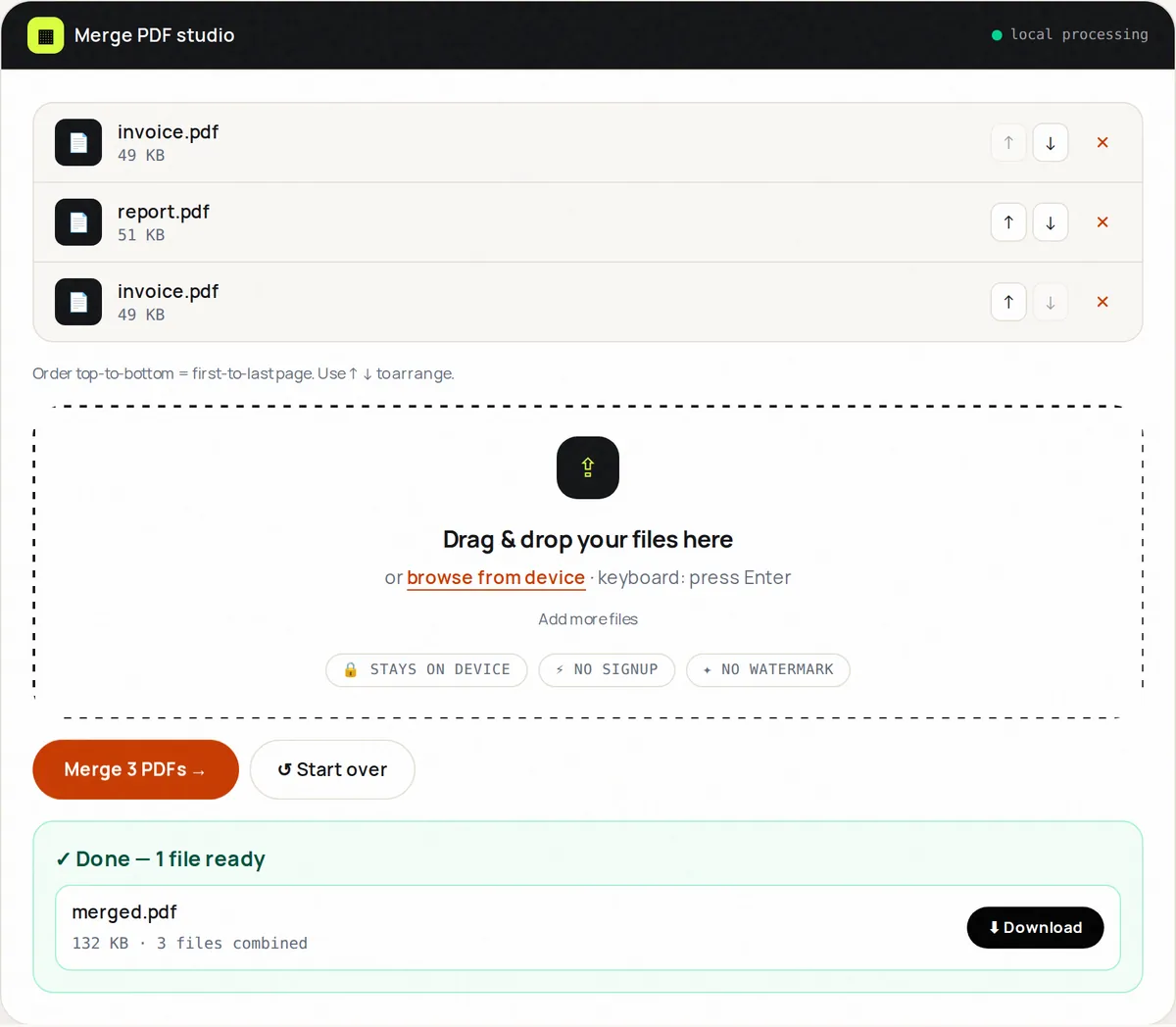
Merge PDF with three PDF files listed in order, up and down buttons to reorder them, and a finished merged.pdf ready to download
Merge PDF: Three sample PDFs (an invoice, an 8-page report and the invoice again) merged into one 132 KB file.
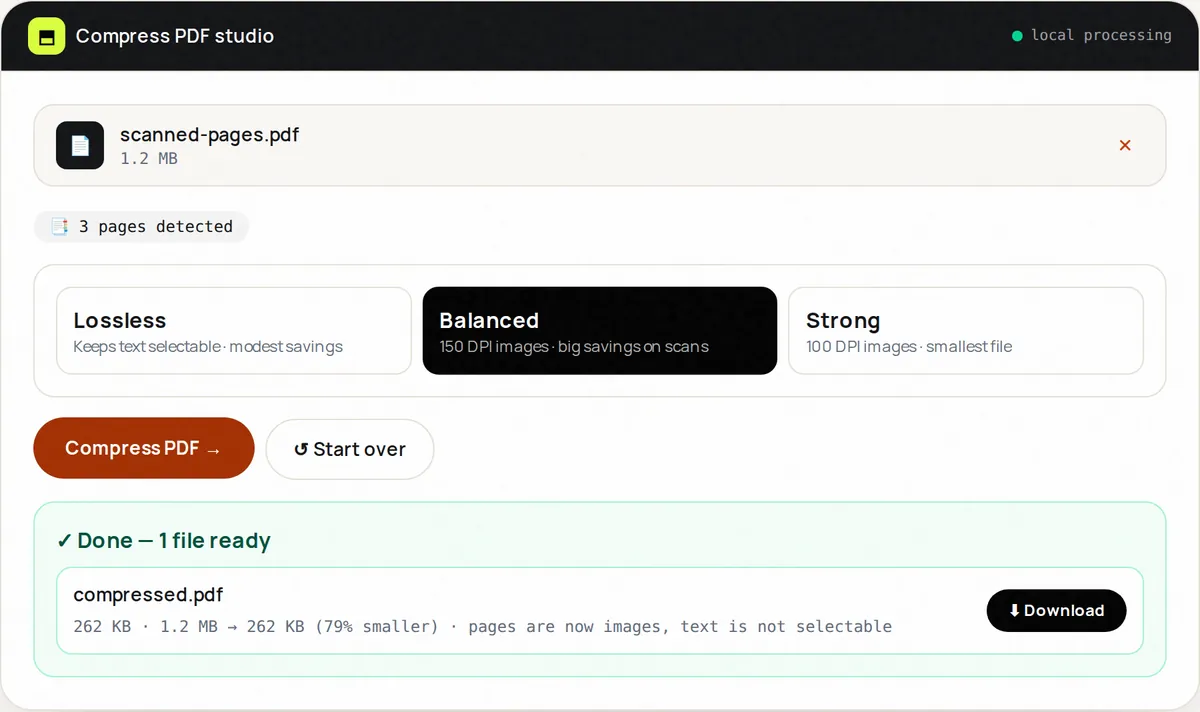
Compress PDF with the Balanced level selected, showing a 1.2 MB scanned PDF reduced to 262 KB
Compress PDF: A 3-page scan-style sample PDF compressed at the Balanced level (150 DPI): 1.2 MB → 262 KB, 79% smaller. The result notes that text is no longer selectable.
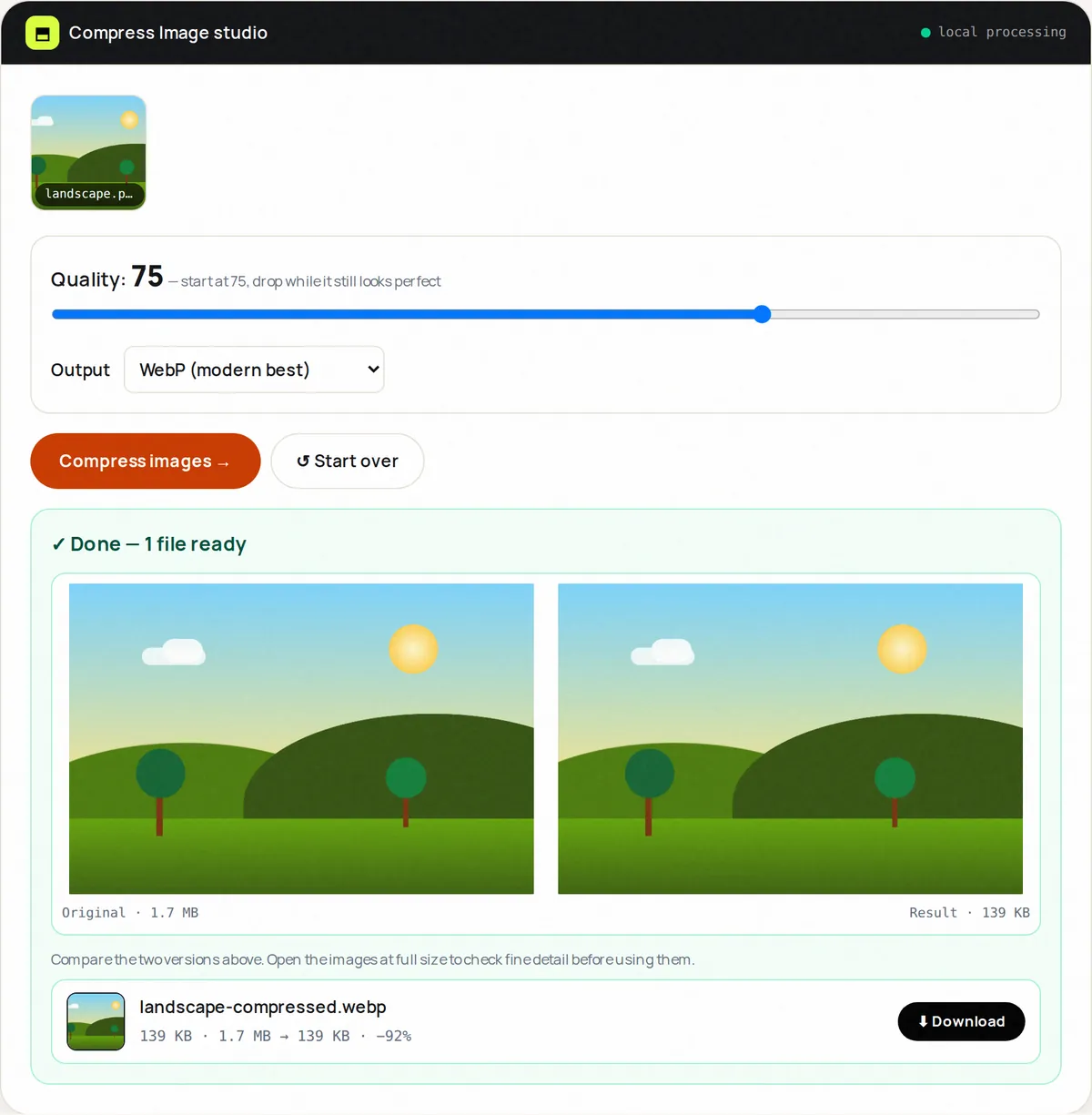
Image Compress at quality 75 with WebP output, showing the original and compressed images side by side, 1.7 MB and 139 KB
Image Compress: A 1.7 MB sample PNG compressed to a 139 KB WebP at quality 75, with the original and result shown side by side.

Privacy · local processing

Your documents stay on your device.

Many online converters upload your file to a server, process it there and delete it later. FreeConvertor sends the processing code to your browser instead, so the file you choose is never transmitted to us. When you close the tab, it is gone from memory. See the privacy policy for what the website itself collects.

  • ✓ No account needed
  • ✓ Files are not uploaded
  • ✓ AES-256 PDF passwords
  • ✓ No watermarks
Diagram: a PDF turned into a password-protected PDFPDFEncryptin your browserPDFpassword needed

More tools

Page clean-up, encryption, scanning and format conversion. Open the full directory →

Guides

Learn the why, not just the how

Short, practical explanations of the file problems people run into most.

What you can do with FreeConvertor

FreeConvertor brings together the file tasks most people need a few times a month and never want to install software for. On the PDF side you can merge several PDFs into one application pack, split a long report into chapters, reduce a PDF's file size to get under an upload limit, turn pages into images with PDF to JPG or PDF to PNG, and fix scans by rotating, deleting, extracting or reordering pages. Protect PDF adds a standard AES-256 password that every major PDF reader understands, and PDF Scanner turns phone photos of paperwork into a clean document.

The image tools focus on the web and everyday sharing: resize photos to the dimensions you need, compress them with a live before/after preview, crop to exact aspect ratios, convert between JPG, PNG and WebP, combine pictures with Image to PDF, and create a complete icon set with the Favicon Generator.

Why processing in the browser matters

When a converter uploads your file, a copy exists — at least for a while — on a computer you do not control. For a holiday photo that may not matter; for a passport scan, a medical letter or a signed contract it does. Running the tools in your browser removes that step entirely. It also means there is no upload or download wait for large files, and no queue when many people use the site at once.

The trade-off is that processing uses your device's memory and processor. Modern laptops and phones handle typical documents in seconds; very large, image-heavy PDFs are best handled on a computer. Each tool page explains its limits, and our guides go deeper into topics such as why some PDFs are so large and which image format to choose.

FAQ

Frequently asked questions

+Are FreeConvertor tools really free?

Yes. All 20 tools are free to use without an account, without a watermark and without daily limits. Because files are processed on your own device, running the tools costs us very little. The site may show advertising to cover hosting and development.

+Are my files uploaded to a server?

No. The tools use JavaScript libraries (pdf-lib, pdf.js, the Canvas API and the Web Crypto API) that run inside your browser tab. The file you choose is read into the page's memory, processed there, and offered back to you as a download. Close or reset the page and it is gone.

+Is there a file size limit?

PDF tools accept files up to 100 MB and image tools up to 50 MB per file. The real limit is your device's memory: very large or image-heavy PDFs are processed faster on a computer than on a phone.

+Will my PDFs lose quality?

Page operations — merge, split, rotate, reorder, delete and extract — copy pages exactly, so text stays sharp and selectable. Converting pages to images and the Balanced or Strong compression levels do turn pages into pictures; each tool says so before you run it.

+Which browsers are supported?

Current versions of Chrome, Edge, Firefox and Safari on desktop and mobile. Some features depend on the browser: for example, some Safari versions cannot create WebP files from a web page, and HEIC photos open only in browsers that can display them.

+Can I use the tools for work documents?

Yes, for personal and commercial use. Because nothing is uploaded, the tools are well suited to contracts, invoices and HR documents. Always check the output before sending anything important.

More questions? How FreeConvertor works · Contact us · All tools