
What JPG to PDF does — and when to use it
Phone full of receipt photos? Portfolio shots scattered across downloads? JPG to PDF arranges your images into a clean, paginated PDF with control over page size (A4, Letter or fit-to-image), orientation and margins — the way a careful assistant would.
Each photo is saved at high JPEG quality (90) — which also applies the camera's orientation so phone photos are the right way up — and centered on its page with the aspect ratio preserved. Reorder shots before building so the story reads right: before/after renovations, travel diaries, product catalogs, homework submissions.
This is the companion to our PDF Scanner: quick-and-clean here, contrast-enhanced and grayscale-filtered there. For screenshots and digital art with flat colors, PNG to PDF preserves edges even better.
How to use JPG to PDF, step by step
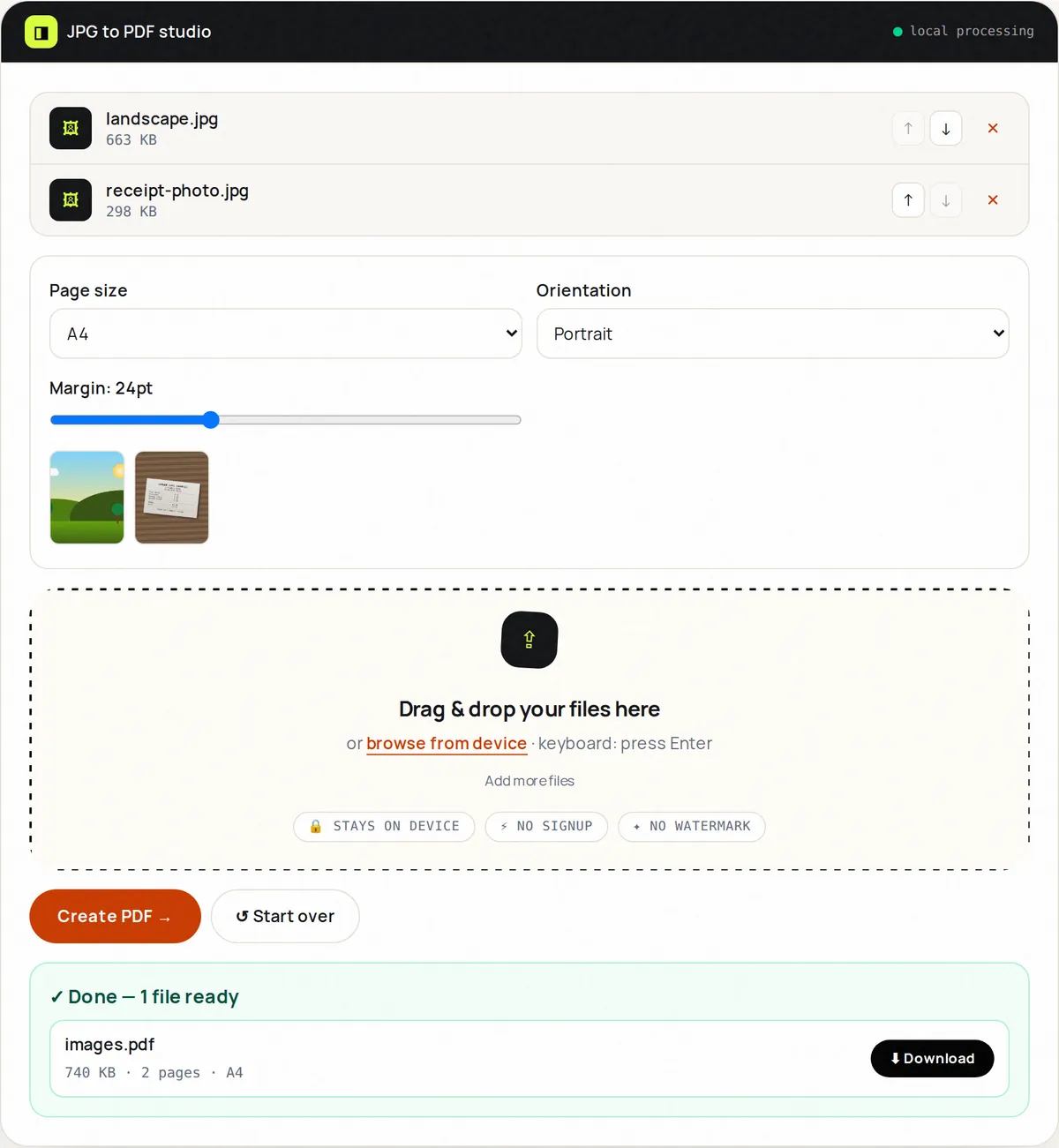
- Upload up to 20 JPG/JPEG images. Thumbnails appear instantly.
- Use the ↑ ↓ buttons in the file list to set the page order.
- Choose page size (Fit, A4, Letter), orientation and margin.
- Click Create PDF. Each image becomes one centered page.
- Download, check pagination, reset for the next batch.
Supported formats & limits
- Input: JPG/JPEG, up to 20 files of up to 50 MB each
- Page sizes: Fit to image, A4 (595×842pt), US Letter
- Output: PDF with one image per page (JPEG, quality 90)
- PNGs or mixed sets? Use Image to PDF or PNG to PDF
Key features
Layout controls
Fit, A4 or Letter with portrait/landscape and margin slider.
Choose the order
Move files up and down — the PDF follows the order of the list.
High-quality images
Photos are stored at JPEG quality 90, so detail is preserved.
Mixed dimensions ok
Portrait and landscape shots share one document gracefully.
Instant preview
See the stack before committing to the build.
Correct orientation
Camera rotation data is applied, so portrait phone photos are not sideways.
Privacy promise
Your files never leave this tab.
This tool processes your file with JavaScript libraries (pdf-lib, pdf.js, Canvas) running in your own browser. The file is not sent to our server, and nothing is kept after you close or reset the page. That makes it a sensible choice for contracts, IDs and other private documents.
Common use cases
Expense reports
One PDF of receipts per trip beats 30 loose photos.
Real-estate listings
Walk buyers through rooms in page order.
School submissions
Homework photos become a single teacher-friendly PDF.
Portfolios
A lightweight lookbook you can email.
Insurance claims
Damage photos paginated with consistent margins.
Tips for best results
- Shoot in good light — this tool lays out, it doesn't enhance (Scanner does).
- Use Fit size for photo albums, A4 for anything that might print.
- Rename files numerically before upload to nail the order instantly.
- Keep margins at 24–36pt for a premium printed feel.
- Over 20 images? Build two PDFs then Merge them.
Common mistakes to avoid
- Uploading HEIC iPhone photos renamed to .jpg — convert to JPG first.
- Mixing huge 20 MP panoramas and expecting a tiny PDF — compress images first.
- Forgetting page order and sending a shuffled story.
- Choosing Letter for a European recipient — pick A4.
Learn more
- How to scan documents with your phone and get a clean PDF — Lighting, framing and settings that make phone photos of documents look like real scans, and how to combine them into one small PDF.
Frequently asked questions
+How do I turn JPGs into one PDF?
Upload the JPGs, order them, pick a page size, click Create PDF, download.
+Will image quality drop?
Very little — photos are re-saved at JPEG quality 90, which is visually indistinguishable at normal viewing size. Keep your originals for editing.
+Can I mix portrait and landscape?
Yes. Each page centers its image with aspect ratio preserved.
+What's the difference vs Image to PDF?
JPG to PDF is tuned for JPEG photos; Image to PDF accepts JPG, PNG, WebP and GIF together.
+Can I add text captions?
Not in this version — lay out in Fit mode and annotate in your reader, or convert with margins for handwritten notes after printing.
+Is there a limit?
20 images per build. Chain builds with Merge PDF for bigger albums.