
What WebP Converter does — and when to use it
WebP typically produces files 25–35% smaller than JPEG at similar quality (according to Google's published comparisons), and supports transparency. Yet cameras shoot JPG and designers export PNG — so this dedicated converter bridges both directions: JPG/PNG→WebP for shipping, WebP→JPG/PNG for compatibility.
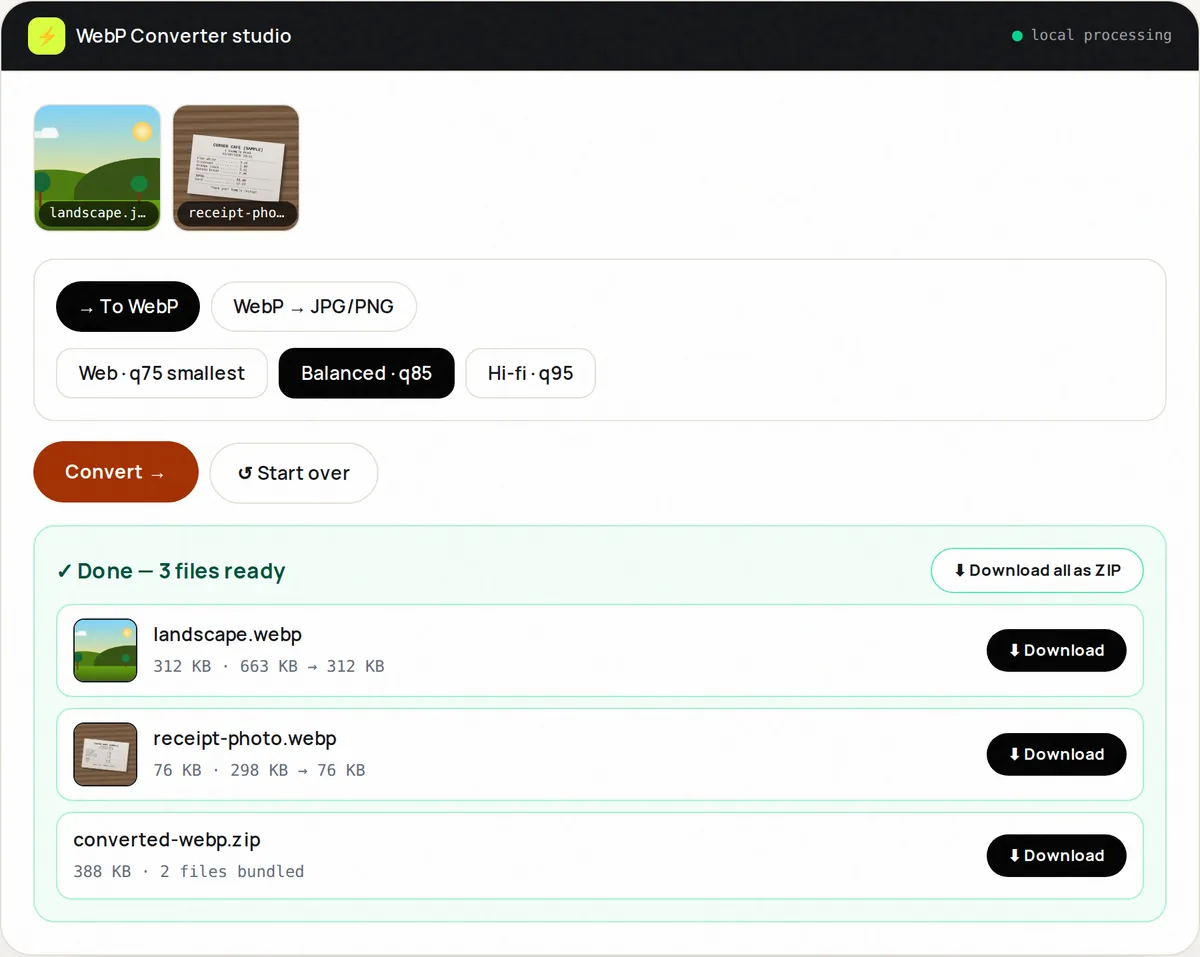
Three presets cover most needs: Web (quality 75, smallest), Balanced (85, the default) and Hi-fi (95, for portfolios). Convert up to ten images at a time and download them individually or as a ZIP.
On image-heavy pages, switching to WebP is one of the simplest ways to reduce page weight and improve loading times. Keep JPG or PNG copies for email and for systems that do not accept WebP.
How to use WebP Converter, step by step
- Upload up to 10 images (JPG/PNG/WebP mixed).
- Choose direction: To WebP or From WebP (to JPG/PNG).
- Pick preset: Web / Balanced / High fidelity.
- Click Convert and review per-file savings.
- Download ZIP and ship.
Supported formats & limits
- To WebP: JPG/PNG/WebP inputs → .webp
- From WebP: .webp → JPG or PNG
- Presets: q75 / q85 / q95
- Batch: 10 files, ZIP out
Key features
Two-way
Encode to WebP and decode back — one page.
Simple presets
Three quality levels instead of a slider.
Size per file
Each result shows its new file size.
Mixed batches
JPGs and PNGs together, WebPs out.
CMS-ready names
hero.webp sorts beside hero.jpg.
Private
Unreleased assets never upload.
Privacy promise
Your files never leave this tab.
This tool processes your file with JavaScript libraries (pdf-lib, pdf.js, Canvas) running in your own browser. The file is not sent to our server, and nothing is kept after you close or reset the page. That makes it a sensible choice for contracts, IDs and other private documents.
Common use cases
WordPress and other CMSs
Upload pre-optimized WebP files instead of heavy originals.
Shopify
Product grids that actually load on mobile.
News & blogs
Half the bytes, same photography.
Email fallbacks
WebP→JPG for clients without WebP support.
Design systems
Normalize an icon/screenshot library.
Tips for best results
- Serve WebP with JPG fallback via <picture> for ancient clients.
- Balanced (quality 85) suits most web images.
- Screenshots gain most — convert those first.
- Keep originals; future AVIF migration will want them.
- Measure with PageSpeed before/after — show the win.
Common mistakes to avoid
- Converting tiny icons and expecting miracles — photos win most.
- High-fidelity for thumbnails — wasted bytes.
- Forgetting fallbacks for Outlook email.
- Re-encoding an already-tiny WebP at q95 (bigger output!).
Learn more
- JPG vs PNG vs WebP vs AVIF: which image format should you use? — How JPEG, PNG, WebP, AVIF and GIF compress, when transparency matters, browser support, and which to pick for photos, screenshots and logos.
- How to optimize images for a faster website — A step-by-step workflow for resizing, compressing and converting website images, plus the HTML attributes that improve Core Web Vitals.
Frequently asked questions
+How do I convert JPG to WebP?
Upload JPGs, keep direction To WebP, pick Balanced, Convert, download ZIP.
+Can I turn WebP back to JPG?
Yes — switch direction to From WebP, choose JPG or PNG target.
+How much smaller is WebP?
Google's comparisons found lossy WebP 25–35% smaller than JPEG at similar quality. Savings versus PNG are often larger for screenshots converted to lossy WebP.
+Do all browsers support WebP?
All current browsers can display WebP (Chrome, Edge, Firefox, Safari 14+). Some email clients and older software cannot, so keep JPG or PNG versions for those. Some Safari versions can display WebP but cannot create it from a web page; the tool will tell you, and you can convert in Chrome, Edge or Firefox instead.
+WebP vs AVIF?
AVIF is smaller still but encodes slowly with patchy tooling. WebP is the safe universal win today.
+Is conversion private?
Entirely — canvas encoding in your tab.