
What Image to PDF does — and when to use it
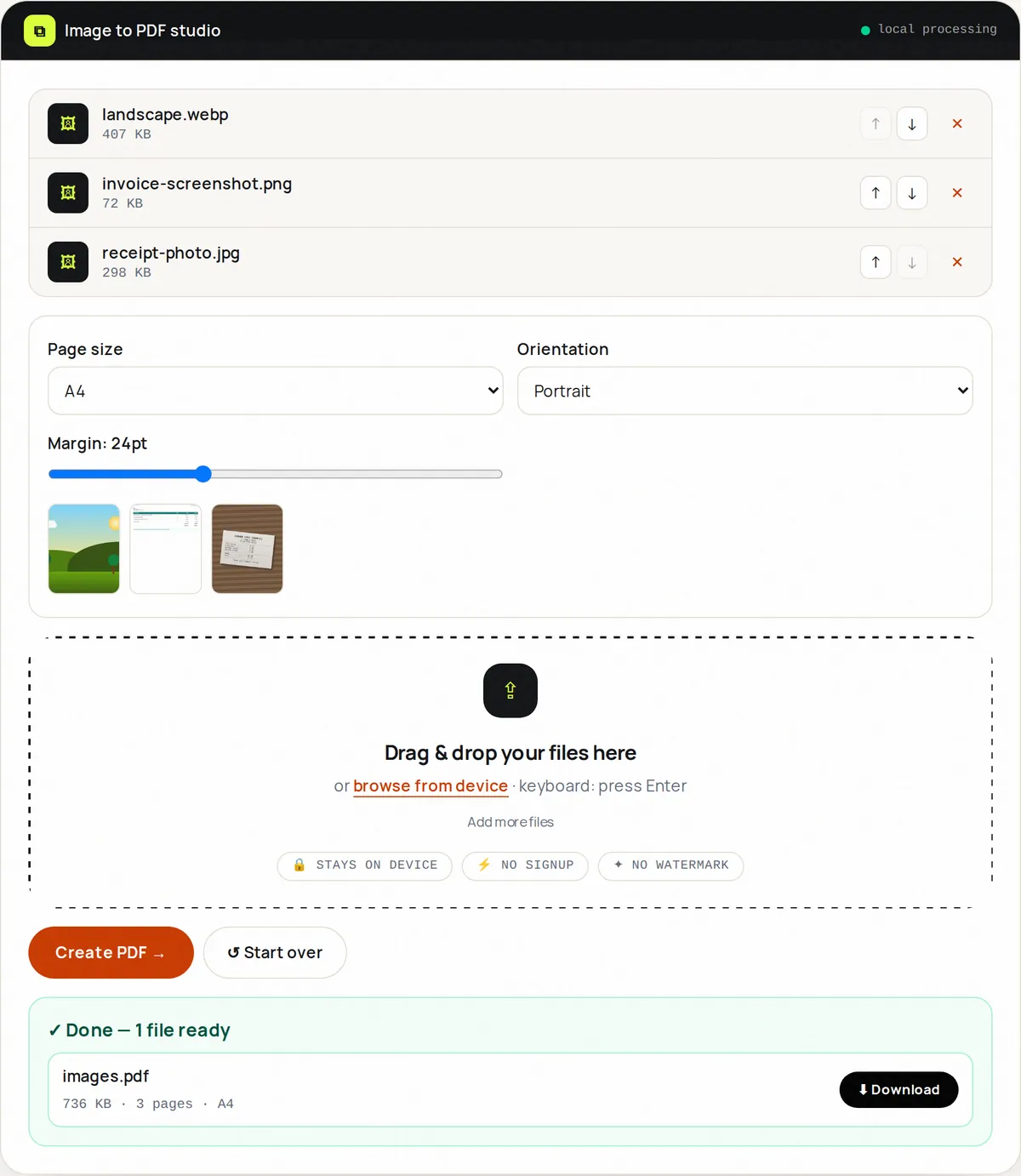
Image to PDF accepts JPG, PNG, WebP and GIF images together and combines them into one PDF, one image per page, with Fit/A4/Letter page sizes, orientation and margins.
Use it when your images come from different places: photos beside PNG diagrams beside WebP downloads. PNGs are embedded without re-compression; other formats are saved as high-quality JPEG (quality 90). Designers send moodboards, researchers compile figures, families collect scanned photos.
Need enhancement (contrast, B&W)? Start in PDF Scanner. Need JPEG-only speed? JPG to PDF is leaner. Need everything-together reliability? You're home.
How to use Image to PDF, step by step
- Upload up to 20 mixed images.
- Set the order with the ↑ ↓ buttons in the file list.
- Set size (Fit/A4/Letter), orientation, margins.
- Click Create PDF.
- Download, verify, chain with Merge for longer docs.
Supported formats & limits
- Input: JPG, PNG, WebP, GIF (20 max, 50 MB)
- Layout: Fit / A4 / Letter + orientation + margins
- Output: one image per page — PNG kept lossless, other formats as JPEG quality 90
- Scans needing filters? Use PDF Scanner
Key features
Mixed formats
The junk-drawer folder becomes one document.
Layout suite
Fit/A4/Letter with orientation and margin slider.
Choose the order
Move images up and down before building.
Quality embed
PNGs stay lossless; photos are saved at JPEG quality 90.
GIF-aware
First frame embedded cleanly.
Merge-ready
Outputs chain into bigger dossiers.
Privacy promise
Your files never leave this tab.
This tool processes your file with JavaScript libraries (pdf-lib, pdf.js, Canvas) running in your own browser. The file is not sent to our server, and nothing is kept after you close or reset the page. That makes it a sensible choice for contracts, IDs and other private documents.
Common use cases
Research
Figures from five tools in one supplementary PDF.
Moodboards
Mixed downloads as a client-ready board.
Family archives
Decades of scans in one album.
Tenders
Photos + diagrams as one submission.
School
Mixed-source projects bound for teachers.
Tips for best results
- PNG diagrams stay sharp; photos stay lean — mixed is fine.
- Fit suits screens; A4 or Letter suits printing.
- Order tells the story — sequence before building.
- Compress giant inputs first for emailable PDFs.
- For B&W text scans, Scanner's B&W filter beats plain binding.
Common mistakes to avoid
- Binding 20x 12 MP originals and expecting 2 MB — downscale first.
- Zero margins on mixed sizes — looks cramped.
- Forgetting GIFs animate nowhere in PDF (first frame only).
- Mixing orientations without checking landscape setting.
Learn more
- How to scan documents with your phone and get a clean PDF — Lighting, framing and settings that make phone photos of documents look like real scans, and how to combine them into one small PDF.
Frequently asked questions
+Can I combine JPG, PNG and WebP into one PDF?
Yes — that's this tool's specialty. Upload mixed, order, build.
+How many images?
20 per build; merge builds for longer documents.
+Will quality drop?
Very little — PNGs are embedded unchanged and other images are saved at JPEG quality 90, with the aspect ratio preserved.
+JPG to PDF vs Image to PDF?
JPG to PDF is lean for JPEG-only; Image to PDF takes all formats together.
+Can I control page size?
Fit (image-sized), A4 or Letter with orientation and margins.
+Are files uploaded?
No — binding happens locally via pdf-lib.